
Do You Still Need Windows and Microsoft Office in the Age of AI?
Published: June 2026
Last updated: June 2026
AI Is Powerful. But It Still Needs Windows and Office.
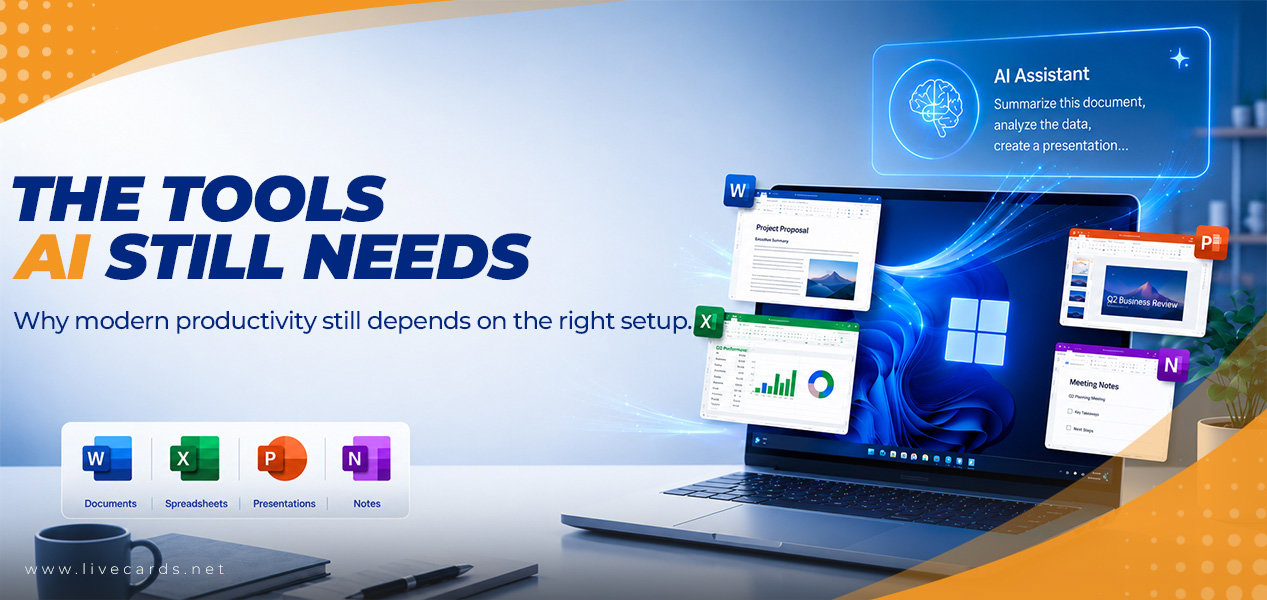
Do you still need Windows and Microsoft Office in the age of AI? Yes. AI tools can help create content, summarize information, and support productivity, but they do not replace operating systems, file management, spreadsheets, presentations, email, or productivity software. For most students, professionals, freelancers, and businesses, Windows and Microsoft Office still work alongside AI rather than being replaced by it.
Quick Answer
On mobile, swipe left to compare all columns.
| Question | Short answer |
|---|---|
| Do you still need Windows? | Yes. AI tools still rely on an operating system to run applications, manage files, connect devices, and support everyday workflows. |
| Do you still need Microsoft Office? | Yes. Office remains useful for documents, spreadsheets, presentations, email, and professional file-based work. |
| Does AI replace Office? | No. AI can assist with drafting, summarizing, and organizing ideas, but Office tools help users edit, format, calculate, present, and share work. |
| Does AI replace Windows? | No. AI can support tasks, but it does not replace the operating system that manages the device and software environment. |
What AI Can and Cannot Replace
AI tools are useful for many productivity tasks. They can help generate ideas, draft text, summarize content, explain information, and support everyday work. But AI is not a full replacement for the tools people use to complete and manage that work.
On mobile, swipe left to compare all columns.
| Area | AI can help with | AI does not fully replace |
|---|---|---|
| Writing | Drafting, rewriting, summarizing, and brainstorming | Document editing, formatting, file saving, and final review |
| Data | Explaining trends, suggesting formulas, and summarizing information | Spreadsheet structure, formulas, tables, charts, and saved workbooks |
| Presentations | Creating outlines, talking points, and slide ideas | Final slide design, formatting, presenting, and file sharing |
| Drafting replies and summarizing messages | Inbox management, calendar workflows, and communication records | |
| Device use | Helping with tasks and answers | Operating system functions, file management, app compatibility, and security controls |
Do You Still Need Windows in the Age of AI?
Yes. Windows still matters because it provides the environment where many applications, files, devices, and workflows operate. Even if you use AI every day, your operating system still helps manage files, run apps, connect hardware, and support secure access to your device.
Microsoft describes Windows 11 Pro as combining performance, security, and manageability to help businesses stay productive and protected.
For users still working on older systems, upgrading to a modern operating system can help support compatibility with newer applications, security features, and current productivity workflows. Before upgrading, always check your device compatibility and software requirements.
Do You Still Need Microsoft Office in 2026?
Yes. Microsoft Office still matters because many real-world tasks require finished files, not just AI-generated ideas. Reports, spreadsheets, presentations, invoices, school projects, and business documents often need proper formatting, editing, saving, and sharing.
Microsoft describes Office 2024 as including enhanced features and familiar productivity apps to help users create content and stay on track.
• AI can help you start the work, but Office tools often help you finish it.
• AI can draft a report, but Word helps edit and format it.
• AI can suggest ways to understand data, but Excel helps organize and calculate it.
• AI can create an outline, but PowerPoint helps build the final presentation.
• AI can help write email text, but Outlook helps manage communication and schedules.
AI and Office: How They Work Together
Microsoft also offers Copilot experiences for productivity workflows. Microsoft describes Copilot as AI assistance that can work with Microsoft 365 apps such as Word, Excel, PowerPoint, Outlook, and Teams, depending on the product, account, and subscription. Learn more from Microsoft Copilot.
The important point is simple: AI works best when it supports real tools and real workflows.
On mobile, swipe left to compare all columns.
| Workflow | AI role | Windows and Office role |
|---|---|---|
| Writing a report | Helps generate ideas, structure, or a first draft | Word helps edit, format, save, and share the final document |
| Working with data | Helps explain information or suggest analysis ideas | Excel helps organize, calculate, filter, chart, and present data |
| Creating a presentation | Helps create an outline or talking points | PowerPoint helps build, design, and present the final slides |
| Managing communication | Helps draft or summarize messages | Outlook helps manage email, calendars, and communication history |
| Daily computer work | Helps answer questions and speed up tasks | Windows helps run apps, manage files, connect devices, and support security |
Who Still Benefits From Windows and Office?
Windows and Office tools are still useful for users who need reliable software for school, work, business, and everyday productivity.
On mobile, swipe left to compare all columns.
| User type | Why Windows and Office still matter |
|---|---|
| Students | Writing assignments, preparing presentations, organizing files, and working with documents |
| Professionals | Creating reports, spreadsheets, presentations, emails, and work documents |
| Freelancers | Managing client files, proposals, invoices, documents, and presentations |
| Remote workers | Handling email, documents, meetings, files, and daily productivity tasks |
| Small businesses | Managing business documents, spreadsheets, communication, and office workflows |
Which Software Option Fits Your Setup?
If you are using AI more often, it may also be a good time to review the tools around it. A modern productivity setup usually includes a reliable operating system, office applications, and the software needed for your everyday work.
Livecards.net offers software options through its PC operating system and Microsoft Office categories.
On mobile, swipe left to compare all columns.
| Option | Best suited for | Where to view |
|---|---|---|
| Windows 11 Pro | Users who want to upgrade their operating system for modern productivity, compatibility, and device management | View Windows options |
| Microsoft Office 2024 Professional Plus PC | Users who need productivity tools for documents, spreadsheets, presentations, email, and everyday office work | View Office options |
| Windows 11 Pro + Microsoft Office 2024 Professional Plus | Users who want to refresh both their operating system and productivity tools together | View software offers |
If Livecards.net is running a bundle offer such as Windows 11 Pro + Microsoft Office 2024 Professional Plus, check the product page for the current price, terms, and availability before purchasing. Prices and promotions can change over time.
So, Does AI Replace Windows or Office?
No. AI can support productivity, but it does not replace the full role of Windows or Microsoft Office.
A better way to think about it is:
• AI helps create, summarize, and speed up parts of the workflow.
• Windows helps run, manage, and secure the device environment.
• Office helps turn ideas into usable documents, spreadsheets, presentations, and communication
For many users, the best setup is not AI instead of Windows and Office. It is AI working alongside Windows and Office.
Frequently Asked Questions
Do I still need Windows if I use AI tools?
Yes. Many users still need an operating system such as Windows to run applications, manage files, connect devices, and support secure everyday work. AI tools can help with tasks, but they do not replace the full role of an operating system.
Does AI replace Microsoft Office?
No. AI can help draft, summarize, and organize ideas, but Microsoft Office tools are still used to edit documents, manage spreadsheets, create presentations, and handle professional communication.
Can ChatGPT replace Microsoft Word?
ChatGPT can help generate text, outlines, and ideas, but Microsoft Word remains a document creation and editing tool used to format, save, review, and share documents.
Can AI replace Excel?
AI can help explain data or suggest analysis ideas, but Excel remains useful for organizing data, applying formulas, creating tables, building charts, and managing spreadsheets.
Is Microsoft Office still worth using in 2026?
For users who regularly work with documents, spreadsheets, presentations, and email, Microsoft Office remains a practical productivity suite.
Do AI tools work better on Windows 11?
Software requirements vary by tool. Many modern applications support Windows 11, but users should always check the official system requirements of the specific AI tool or software they plan to use.
Why consider Windows 11 Pro?
Windows 11 Pro may be suitable for users who want a modern Windows operating system with productivity, security, and manageability features. Always review Microsoft’s official requirements before upgrading.
Why consider Microsoft Office 2024 Professional Plus PC?
Microsoft Office 2024 Professional Plus PC may be suitable for users who want familiar Office productivity tools for documents, spreadsheets, presentations, and email on a PC.
Should I buy Windows and Office together?
If you are upgrading both your operating system and productivity tools, a bundle that includes Windows 11 Pro and Microsoft Office 2024 Professional Plus may be a convenient option. Always check the product page for current details before buying.
What to Remember
AI is changing the way people work, but it does not remove the need for reliable software. Windows and Microsoft Office still matter because they help users manage devices, organize files, create documents, calculate data, build presentations, and complete everyday work.
If you want a more modern productivity setup, upgrading your operating system, Office tools, or both can be a practical step. The best choice depends on your device, your workflow, and the tools you use every day.




 Pievērs uzmanību!



