

Installation Guide | Microsoft Office 2021 Professional Plus (64-bit & 32-bit)
License & Activation
• The product key you purchased is a prepaid license and is not compatible with any pre-installed Microsoft software.
• This is an original Microsoft product.
• Before installing, uninstall any existing version of Microsoft Office from your PC.
• Restart your computer after uninstalling. This step is important to avoid compatibility issues.
⚠️ Microsoft has gradually ended support for some older products. As a result, telephone activation is no longer available.
If you experience any issues or have questions during installation or activation, please contact our customer support. Our support team is available during business hours, while chat remains accessible outside these hours for commonly asked questions.
Download
Download the installer below. This EXE file is required to begin the installation.
Other Languages (64-bit & 32-bit Downloads)
If you need the installer in another language or version, please select your preferred language and download the correct installer version below:
64-Bit Installers
| Language | Download |
|---|---|
| Deutsch | Herunterladen |
| English | Download |
| Français | Télécharger |
| Italiano | Scarica |
| Español | Descargar |
| Dutch | Downloaden |
| Finnish | Lataa |
| Norwegian | Last ned |
| Swedish | Download |
| Danish | Download |
32-Bit Installers
| Language | Download |
|---|---|
| Deutsch | Herunterladen |
| English | Download |
| Français | Télécharger |
| Italiano | Scarica |
| Español | Descargar |
| Dutch | Downloaden |
| Finnish | Lataa |
| Norwegian | Last ned |
| Swedish | Download |
| Danish | Download |
Installation & Activation
Before installing, make sure any previous versions of Microsoft Office have been fully removed from your computer. Restart your device after uninstalling to avoid compatibility issues. An active internet connection is required, as the installer downloads the necessary files directly from Microsoft. If needed, you can refer to Microsoft’s official help documentation for guidance.
Tip: It is recommended to complete the installation and activation before signing in with your Microsoft account.
Installation Steps:
1. Run the installer
Locate the downloaded installer file, usually found in your Downloads folder. Right-click the file and select Run as administrator. When prompted to allow the app to make changes to your device, click Yes..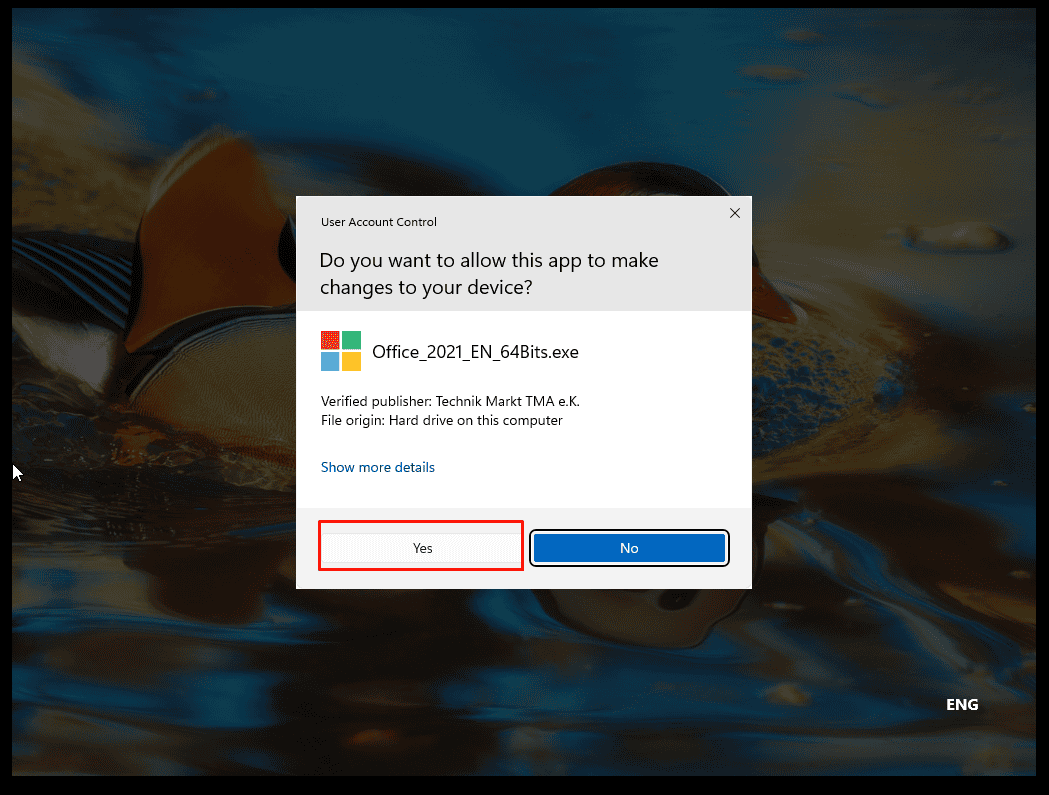
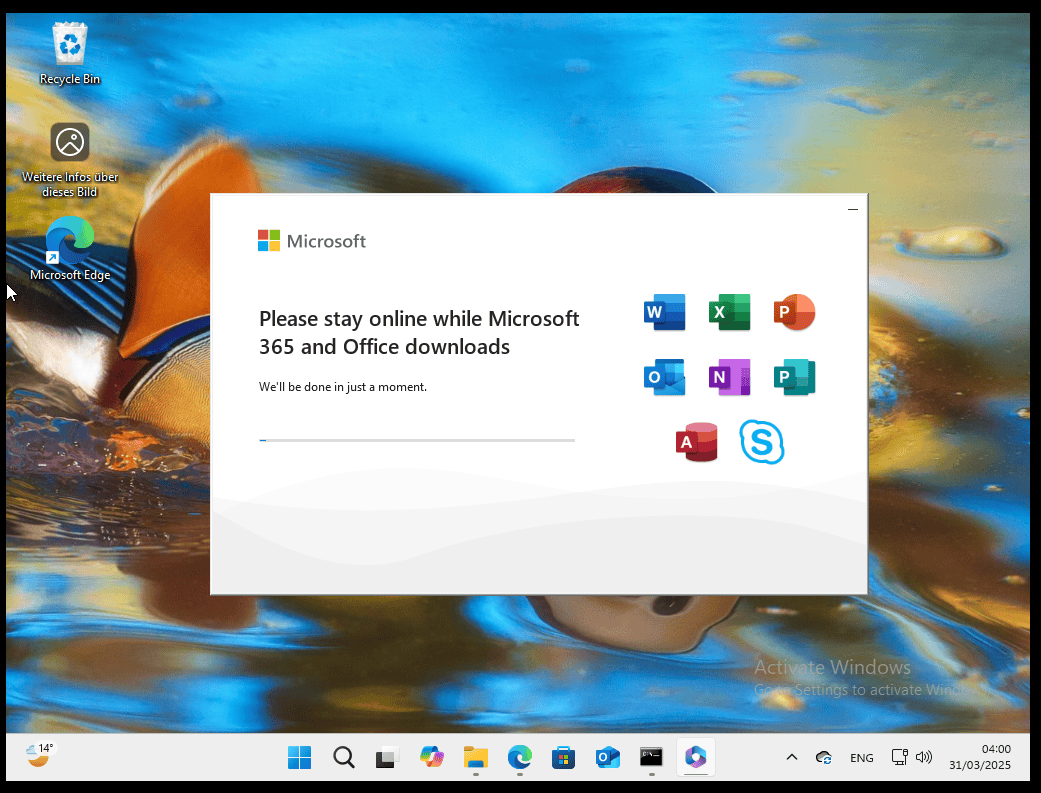
2. Complete the installation
After granting permission, the installation will begin and complete automatically.
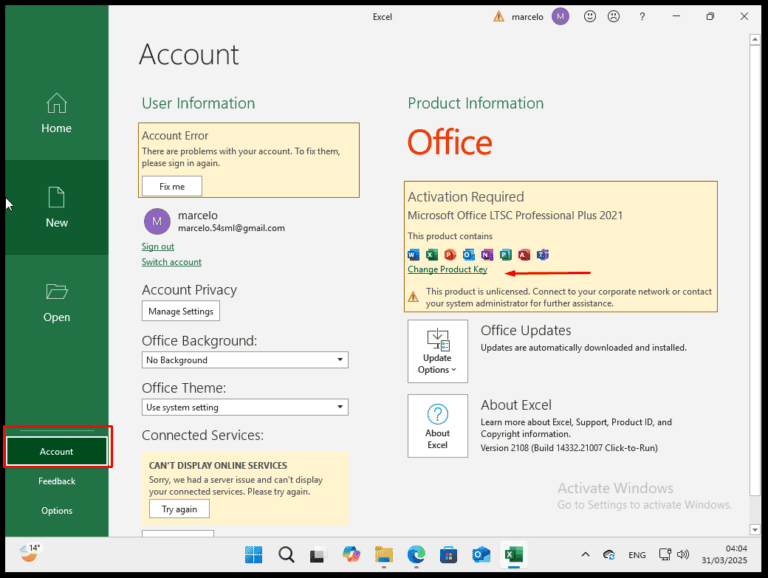
3. Activate Microsoft Office 2021
Once installation is complete, open any Microsoft Office application. Go to Account in the bottom-left corner and click Change Product Key on the right below the Office icons.
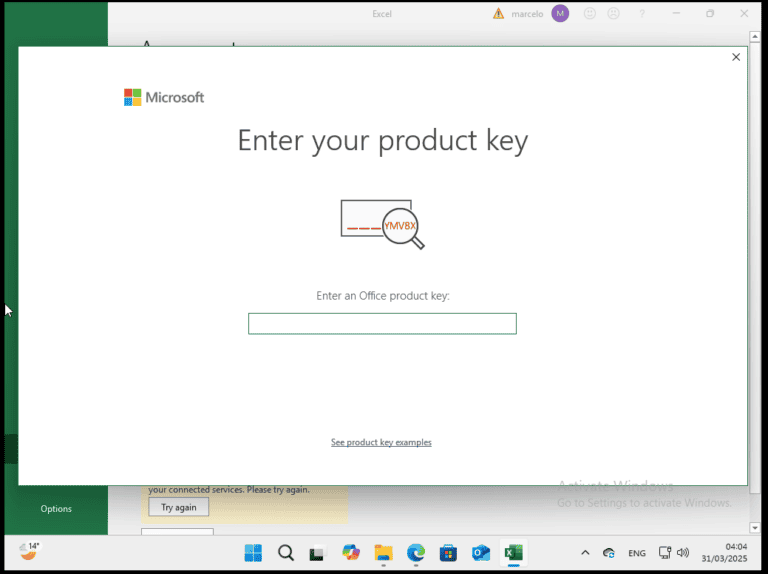
4. Enter your activation key
Enter the activation key you received by email and follow the on-screen instructions. Your copy of Microsoft Office 2021 is now activated.




 Pay attention!



