
You Can Now Change Your Gmail Address — Here’s Why Google Play Users Should Care
Been stuck with an old Gmail address you made years ago? Google is finally changing that. Users can now update the part before @gmail.com without creating a brand-new account, which is a big change for a service that used to keep email addresses fixed. Google says the feature is now available for Google Account users in the U.S., while its Help Center also notes that the option is rolling out gradually and may not show up for everyone right away.
At first glance, this sounds like simple Gmail news. But for Livecards.net customers, especially anyone who buys or redeems Google Play gift cards, it matters more than that. A lot of people use one Google account for purchases, another for email, and sometimes an older Gmail address they no longer want to keep using. So the real question is not just whether you can change your Gmail address, but also what happens to your Google Play access, purchases, and balance if you do. Google says you can still sign in to Google Play with either your old or new email, and Google Play’s redemption flow still asks you to review which account will receive the balance before confirming.
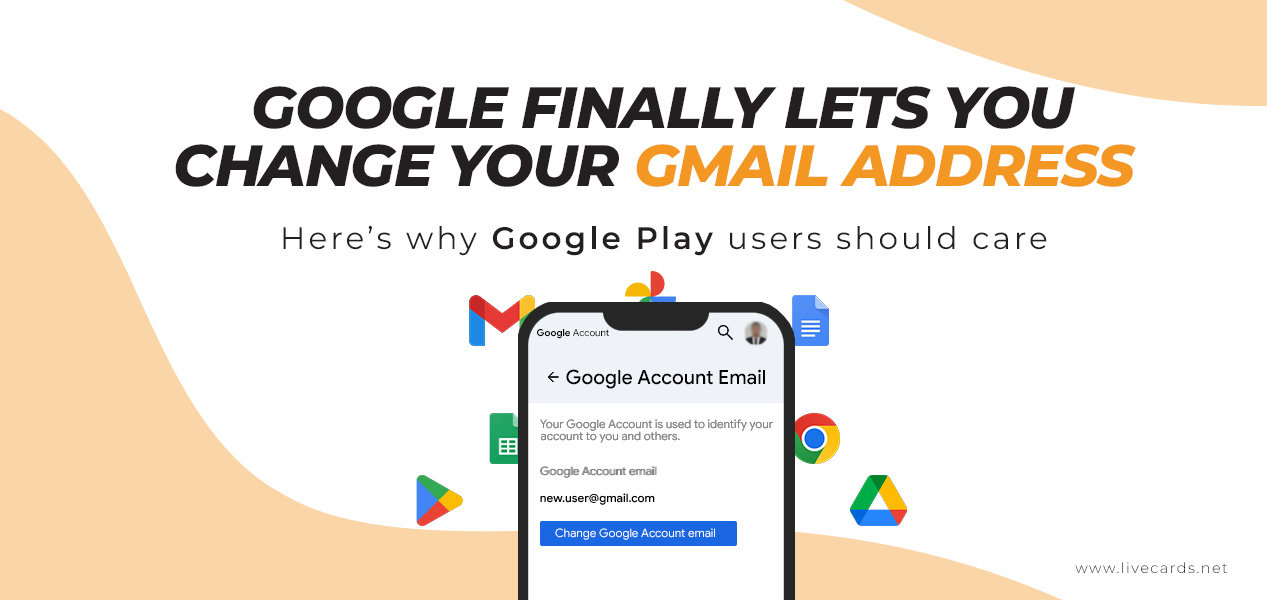
What actually changed?
Google now lets eligible users change their Google Account email from one @gmail.com address to another @gmail.com address. That means you can update your Gmail username without abandoning your current account, inbox, and saved data. Google says the change keeps your account, inbox, and data intact rather than forcing you to start over with a completely new profile.
Google’s Help Center also says your account data is not affected by the change. That includes the content already tied to your Google Account, such as emails and other saved information. So this is not the same thing as creating a second account and moving everything manually. It is a change to the main email on the same account.
Why this matters for Google Play users
This is where it becomes especially relevant for Livecards.net customers. Google says that after you change your Google Account email, you can still sign in with either your old or new email on Google services, including Google Play. Your old Gmail address becomes an alternate email, and emails sent to both addresses still arrive in the same inbox.
That matters because Google Play gift card value is redeemed to the Google account you confirm during redemption. In Google’s own instructions, users are told to review the account that will receive the balance before tapping confirm. So if you use Google Play gift cards, the key thing is still making sure you redeem on the correct Google account, not just focusing on which Gmail address you prefer using every day.
In other words, changing your Gmail address does not mean creating a fresh Google Play account. The account stays the same. What changes is the main Gmail identity attached to it. That should be reassuring for users who want a cleaner or more professional email address but do not want to lose track of their Google Play access, purchases, or balance.
What happens to your old Gmail address?
Your old Gmail address does not just disappear. Google says it becomes an alternate email address on the same Google Account. You will still receive emails sent to both the old and new Gmail addresses, and you can still sign in using either one on services like Gmail, Maps, YouTube, Google Play, and Drive.
Google also says no one else can take your old address. It stays tied to your account, even after you switch to a new main Gmail address. That is useful for anyone worried about losing access, missing messages, or having an older address reused by someone else later.
Is there a catch?
A few, yes. Google says the feature may not show up for every account yet. If you go into your Google Account settings and do not see the option to change your Google Account email, it may simply not be available for your account at this time. Google also warns that changing your Google Account email can affect some features, especially if you use a Chromebook, Sign in with Google on other sites, or Chrome Remote Desktop.
There are also limits. Google says you can change back to your previous email address at any time, but you cannot create a new Google Account email ending in @gmail.com for the next 12 months, and you can only create a new one three times total.
What Google Play customers should double-check before redeeming
If you use Google Play products, the safest rule is simple: always check which Google account is receiving the balance before you confirm redemption. That matters whether you recently changed your Gmail address or not. Google’s redemption flow makes this clear, and it is an important habit for anyone who has multiple Google accounts signed in on one device.
It is also worth remembering that Livecards.net is the retailer that sells the code, but the actual redemption happens on your Google account through Google Play. So if you have changed your Gmail address, the main thing to verify is that you are redeeming on the Google account you actually want to fund. Google says you can still sign in with your old or new email on Google Play, and during redemption you are asked to review which account will receive the balance. If you are looking for a top-up, you can also browse Google Play gift cards on Livecards.net.
How to check if your account has the feature
According to Google’s Help Center, you can check by opening your Google Account, going to Personal info, then Email, then Google Account email. If you see the option to change your Google Account email, your account has access. If you do not see it, the rollout may not have reached you yet.
What this means for users
This is one of Gmail’s most useful updates in a long time. For people stuck with an old email address, Google is finally offering a way to clean things up without starting over. And for Google Play users, the update is even more useful because it means you can update your Gmail identity while keeping the same Google account, sign-in access, and account history.
For Livecards.net customers, the takeaway is simple: changing your Gmail address does not mean starting over with a brand-new Google account. Google says your old address stays usable for sign-in, including on Google Play, so the most important step is still redeeming on the correct account when Google asks you to confirm it. And if you need a top-up, you can check out Google Play products on Livecards.net.




 Fiţi atenți!



